Improve Website Conversions with Marketing Assistant
It helps businesses get more value from existing website traffic by finding more effective ways to turn visitors into customers
How Marketing Assistant Helps Increase Website Conversions
The “Marketing Assistant” testing system identifies ways to boost website conversion rates. This tool allows you to automatically test page elements (USPs, offers, H1–H6 headings, forms, order buttons, images, promotional banners, etc.) to select the options that drive the highest conversion rates. It integrates with Yandex Metrica and Google Analytics.
What problem does Marketing Assistant solve?
- Problem: The website receives traffic (organic, paid, social media, neural networks) but has a low conversion rate (sales, leads).
- Solution: The Marketing Assistant system automatically tests different variations of page elements.
- Goal: To determine which variations of page elements have the greatest impact on conversion.
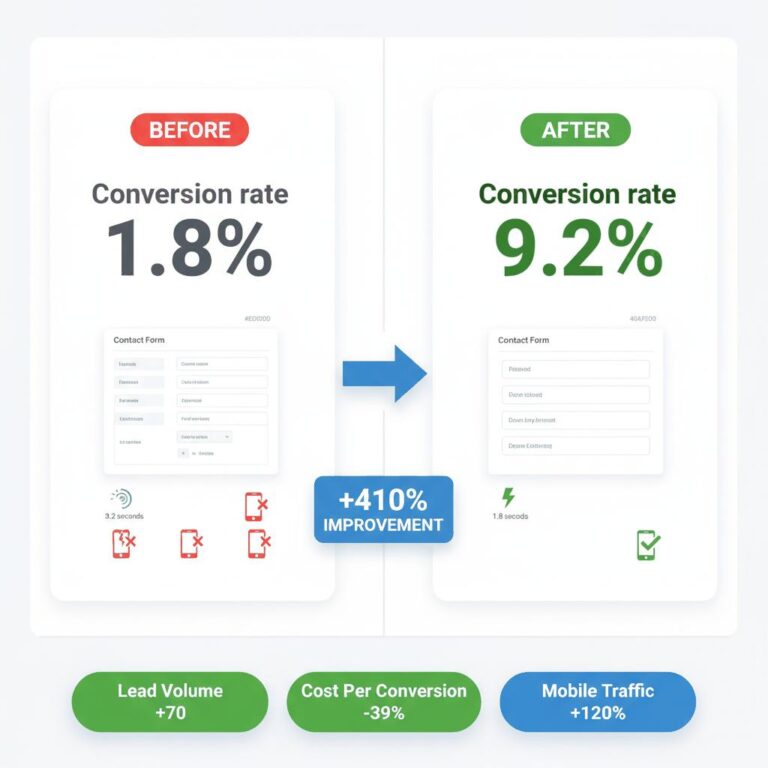
- Results: You can increase the website’s conversion rate by 10%–60% (or even more).
What You Can Manage
Marketing Assistant is designed for planned content changes across selected areas of your website. Set up your content once, define when each item should appear, and let the script handle the switching.
Scheduled Offers and Promotions
Prepare campaign messages, seasonal offers, banners and promotional content ahead of time. Set the dates and let the system display each item when it is needed.
Website Content Rotation
Automatically rotate images, text, HTML blocks, calls to action and other content elements in the selected areas of your website.
Internal Recommendations
Show relevant recommendations and links in blog posts and other content to guide visitors toward important product and service pages.
How It Works
01 — Prepare
Create the offers, messages, images or HTML content you want to display on your website.
02 — Schedule
Choose the rotation mode and set weights, intervals or display dates for your content items.
03 — Automate
Marketing Assistant switches the content automatically according to your settings, without routine manual updates.
Choose the Rotation Method
Different campaigns need different display rules. Marketing Assistant supports three rotation modes.
Weighted Rotation
Assign a weight to each content item to control how often it is selected when a page loads.
Cyclic Rotation
Cycle through content items in sequence at a set frequency, without reloading the page.
Scheduled Rotation
Set a start date and display duration for each item so campaigns and offers change on schedule.
Content Formats and Analytics
Use the content format that fits the message and the placement on your website.
- Images
- Text
- HTML blocks
Connect Your Analytics
Marketing Assistant integrates with Google Analytics 4 and Yandex Metrica. Use your analytics data to monitor visitor behavior and evaluate how different offers and content perform.
Because content can be rotated, you can also compare different versions of an offer, message or image. This is an additional use of the rotation system: the script manages what is displayed, while performance analysis takes place in your analytics platform.
Put Your Website Content on a Schedule
Plan promotions in advance, keep website messages up to date, highlight important products and services, and guide visitors to relevant pages. Marketing Assistant takes care of switching the content while you stay in control of the offers and schedule.